Build PostgreSQL Apps Without Writing Boilerplate
Connect your PostgreSQL database and build CRUD apps, internal tools and data management interfaces with forms, relationships, search and role-based access control. The data stays in your database — the platform generates the working software around it.
How it works
From PostgreSQL database to working app in four steps
No ETL pipeline, no replication layer, no data migration. The platform works directly against your live PostgreSQL database.
PostgreSQL, put to work
Everything between your tables and your users
Where your PostgreSQL database can live
Any PostgreSQL server you can reach
Standard host, port, credentials and SSL — plus provider-specific guidance built into the connection form. Connecting external databases is available from the Professional plan.
Serverless Postgres with a free tier. Use the Session Pooler or Transaction Pooler hostname from Project Settings → Connect (the free direct host is IPv6-only).
Serverless, autoscaling Postgres. Enter the full project hostname from your dashboard — the platform handles the rest.
Managed cloud Postgres. Copy the connection details and CA certificate from the Aiven console; the form walks you through it.
Enable Public Networking on your PostgreSQL service and use the generated hostname, port and PGPASSWORD variable.
Amazon RDS for PostgreSQL and Azure Database for PostgreSQL connect with standard host, port, credentials and SSL.
Your own VPS, homelab or existing hosting with PostgreSQL. Keep it secure: SSL, strong credentials, or a read-only database user for reporting apps.
Your database. Your rules. No lock-in.
The interface layer sits on top of your PostgreSQL database — it never copies your data somewhere else.
One configuration, every device
Ship the same app to web, Android and iOS
Building a PostgreSQL app the traditional way — or the fast way
The database work is the same. The amount of application code around it is not.
| Task | Custom build | lowcodeapps.dev + PostgreSQL |
|---|---|---|
| Time to first usable interface | Weeks of boilerplate | Minutes after connecting your database |
| CRUD screens per table | Hand-written forms, routes, validation | Generated automatically for every table |
| Relationships & related records | Custom joins and nested forms | Configure foreign keys in the interface editor |
| Search, filters & sorting | Query code written per screen | Built into every list view |
| Role-based permissions | Middleware and guards you maintain | Per-role, per-table access control |
| Mobile (Android / iOS) | A second app to build and maintain | Same app on web, Android and iOS |
| Schema change cost | Code change and redeploy | Update the table — the interface follows |
PostgreSQL, answered
No. The platform connects to your live database and works with the tables as they are — no ETL pipeline, no replication, no export/import cycle. Existing foreign keys are detected and can be wired into interfaces directly.
Any PostgreSQL server you can reach over the network: self-hosted, VPS, Supabase, Neon, Aiven, Railway, AWS RDS or Azure Database for PostgreSQL. You provide host, port (default 5432), username, password and database name — or paste a postgresql:// connection string. SSL is supported, and connecting external databases is available from the Professional plan.
Yes. On the free tier, use the Session Pooler hostname (port 5432) or Transaction Pooler (port 6543) from your Supabase dashboard — Project Settings → Connect — because the direct host is IPv6-only and not reachable from all servers. Alternatively, add Supabase's IPv4 add-on to use the direct host. The connection form shows these instructions automatically when you enter a Supabase host.
Platform-hosted databases on lowcodeapps.dev are MySQL. For PostgreSQL you bring your own — a free Supabase or Neon project is a quick way to start, or use your existing server. You can connect up to 12 databases per account, and credentials are stored encrypted with AES-256.
Yes, at two levels. Role-based access control controls which tables each role can view, create, edit or delete — and which fields appear. Context filters then scope the rows: for example, a salesperson sees only their own customers, while a manager sees the whole team.
The platform is the single source of truth for your app's schema. If a table drifts out of sync — a column renamed, a type changed — you get an immediate, actionable error rather than a silent failure. Resync through the interface editor and the interfaces follow.
No. Your data never leaves your PostgreSQL database — the platform reads and writes it through your connection. Leave any time: pg_dump your data, or point a new application at the same tables. No export fees, no proprietary format.
See it in action
Point it at your PostgreSQL server
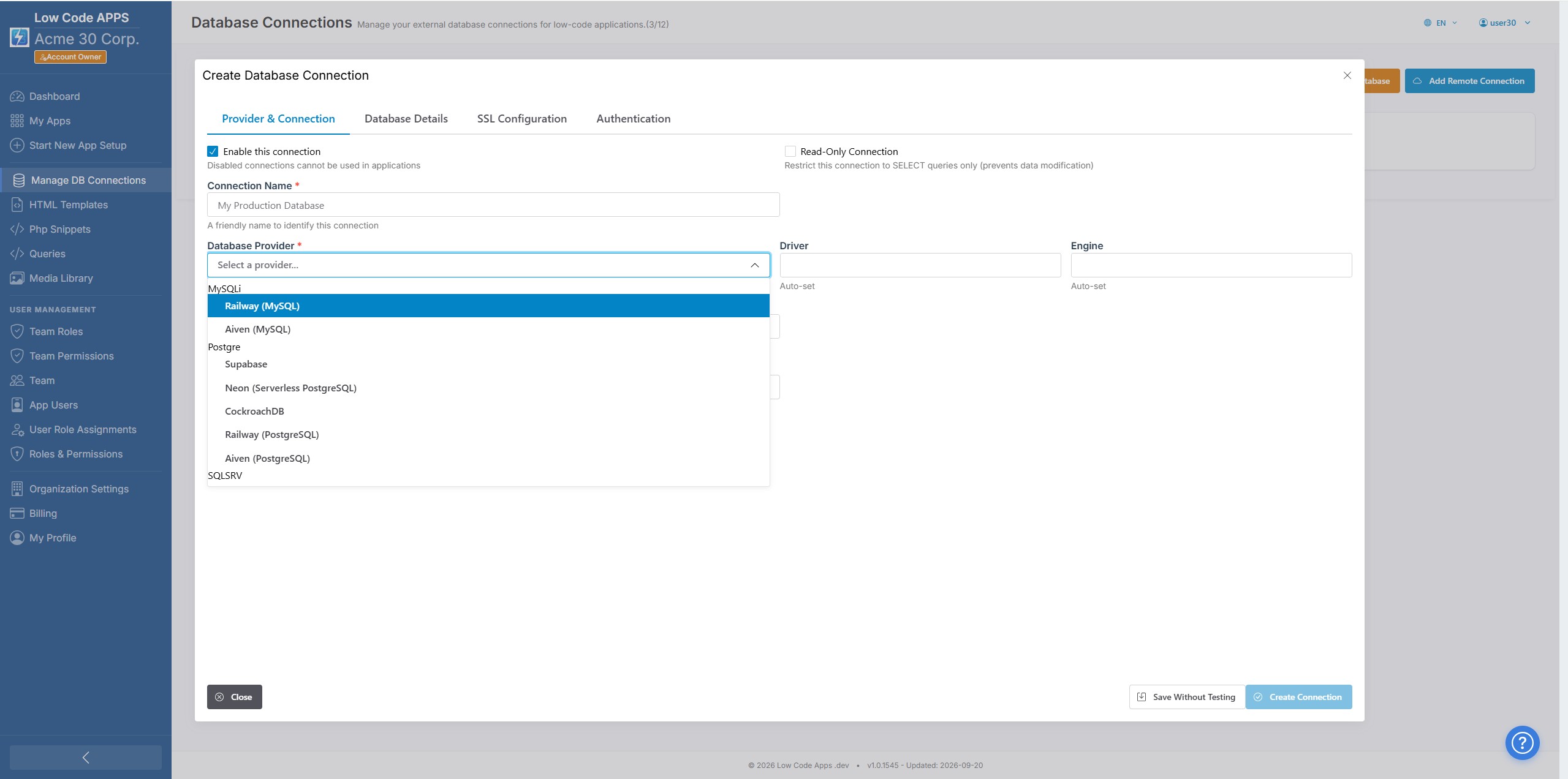
Connect a hosted or external PostgreSQL database and start building — credentials stay AES-256 encrypted.
Put your PostgreSQL data to work
Free trial. Your data stays in your database. No per-seat surprises.