Pricing
New: AI-assisted app setup Describe your app in plain language and lowcodeapps.dev generates a SQL schema draft to accelerate your build.
Interface Designer

Build polished UIs without writing UI code.

Configure every aspect of your CRUD interfaces visually — field order, display types, column widths, labels, conditional visibility, and read-only rules. Your schema, your UI, your rules.

What you can configure

Every detail, under your control

The interface editor gives you direct control over how each field looks and behaves — without touching a template file.

📐
30+ field types
Text, number, email, URL, phone, date, datetime, currency, boolean checkbox, select, multi-select, textarea, rich text, file upload, and more. Each type renders with the appropriate control.
🖼
Table, card, and list views
Switch between display modes without rebuilding anything. Table view for dense data, card view for visual browsing, list view for compact records.
📏
Column widths and ordering
Drag fields into the order that makes sense for your users. Set column widths per field so important data gets more space. Changes take effect immediately.
🏷
Custom labels and placeholders
Override the database column name with any label you like. Add placeholder text to guide users when filling forms. No schema changes required.
🔒
Read-only and hidden fields
Mark fields as read-only so users can see values but not edit them. Hide internal fields (like IDs or computed columns) completely from the interface.
📊
Context filters
Let users filter, sort, and search their data using configurable context filters. Show only the filters that matter for each table.

See it in action

From configuration to runtime

Design your interface visually, then watch it come to life for your users.
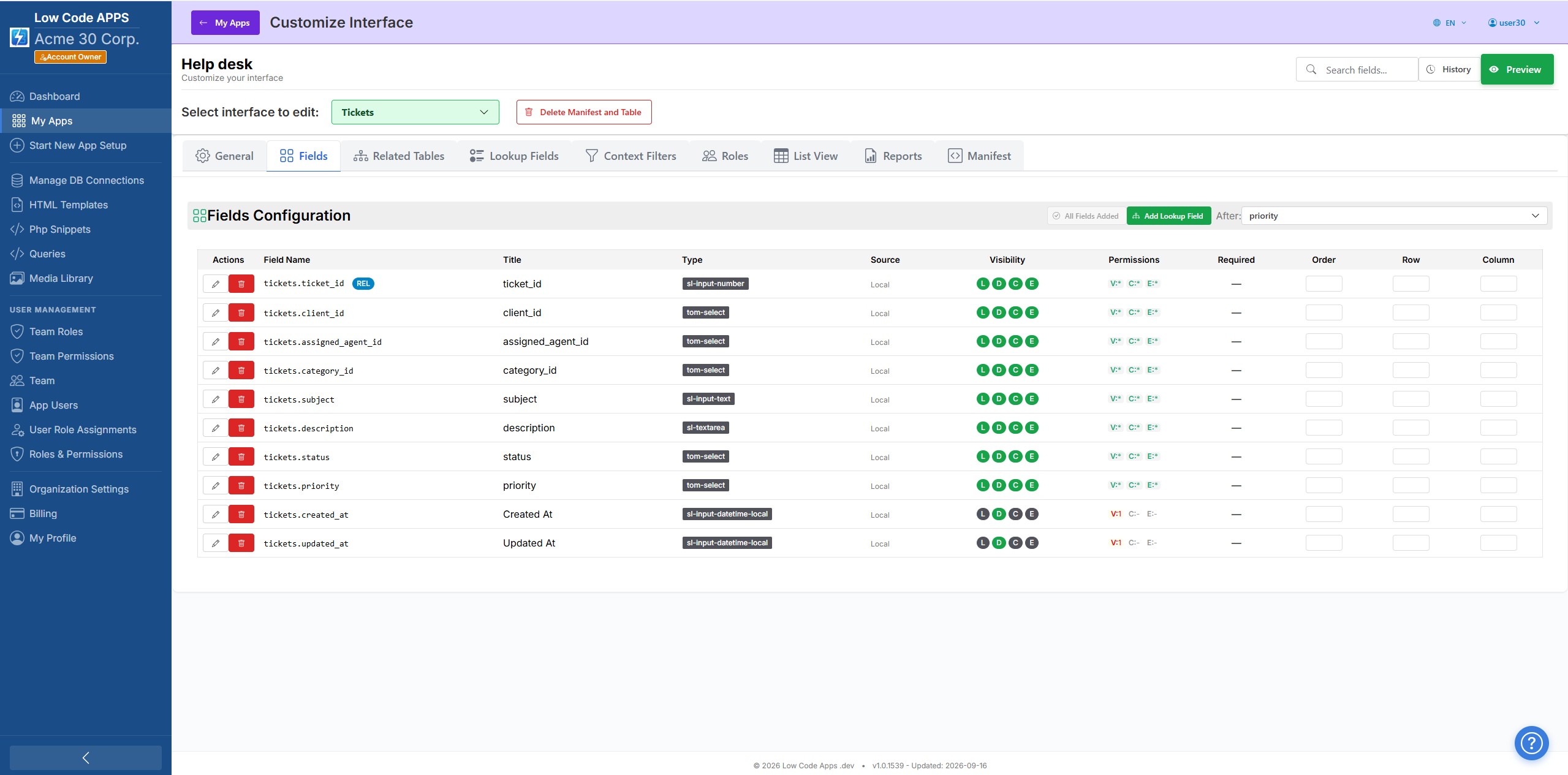
Interface Editor
LowCodeApps Visual Interface Designer — configure fields, display types and validations

Configure field types, labels, widths, and visibility rules in a visual editor.
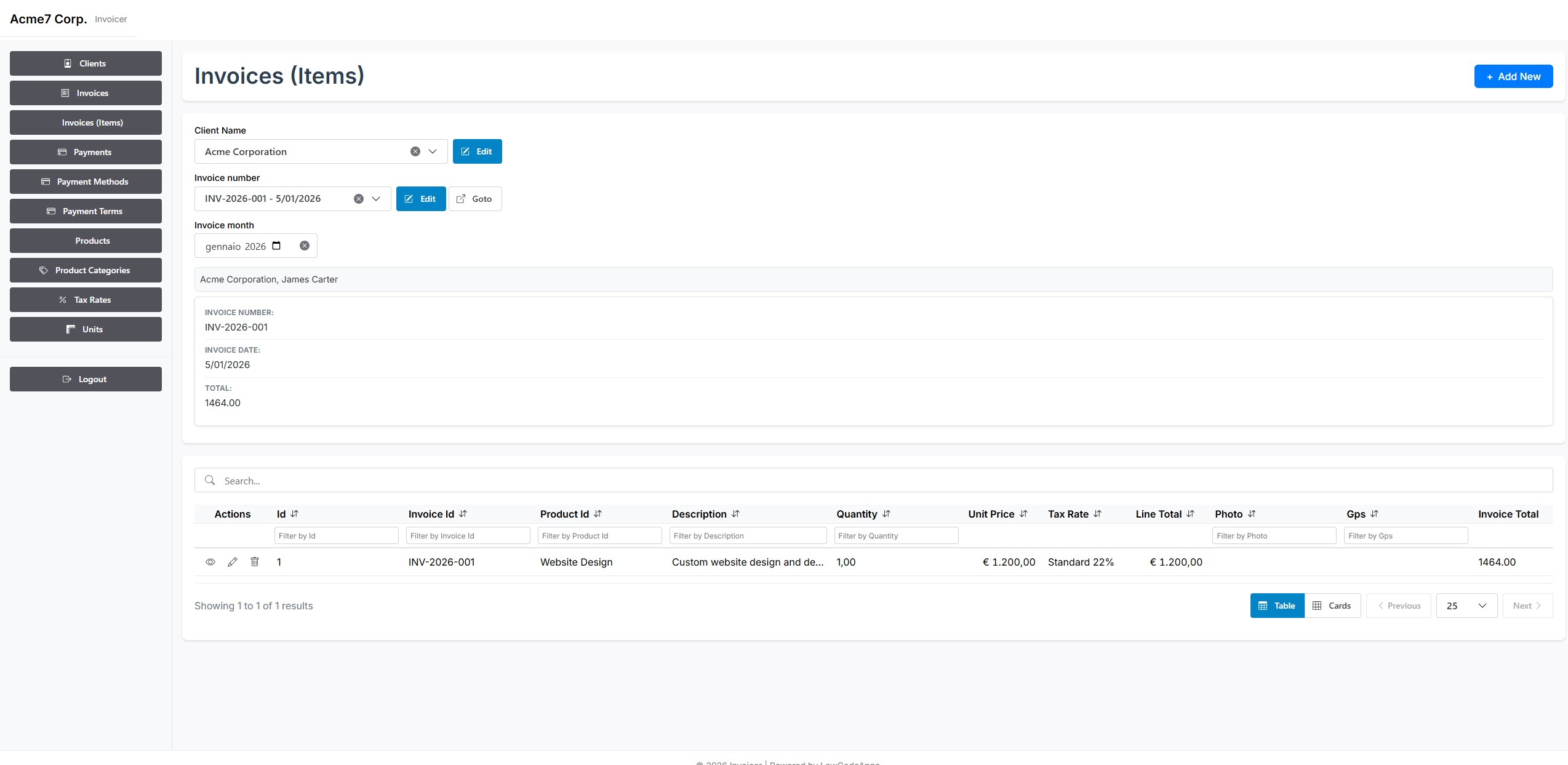
Runtime View
LowCodeApps Generated CRUD Runtime — responsive data table with search and filters

Your configuration becomes a polished, responsive interface instantly.
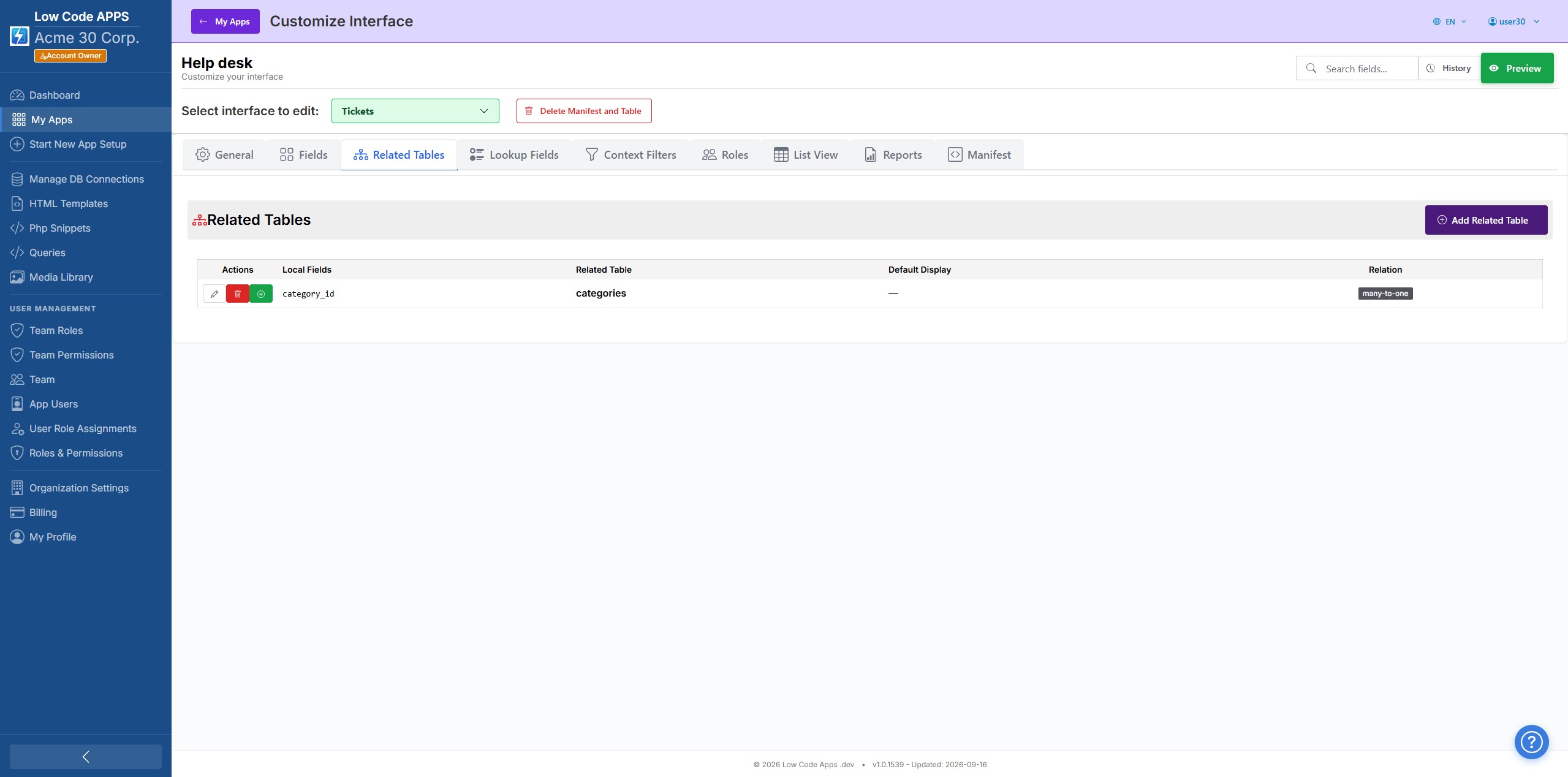
Related Tables
LowCodeApps related tables configuration — link parent and child records in the interface editor

Model parent-child links so related records live side by side in your forms and views.
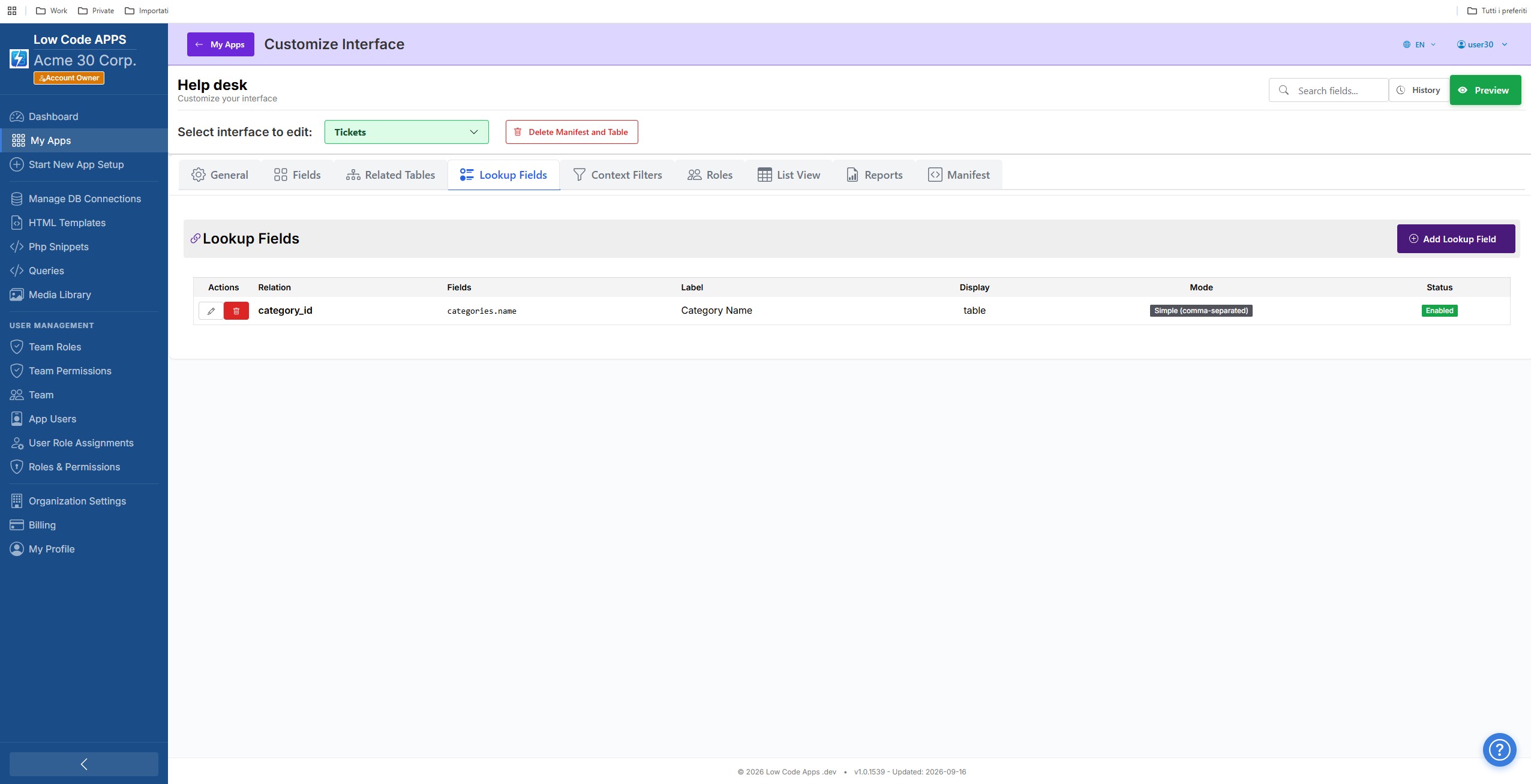
Lookup Fields
LowCodeApps lookup field configuration — dropdowns fed by related tables

Intelligent dropdowns that pull related records automatically — no join code required.
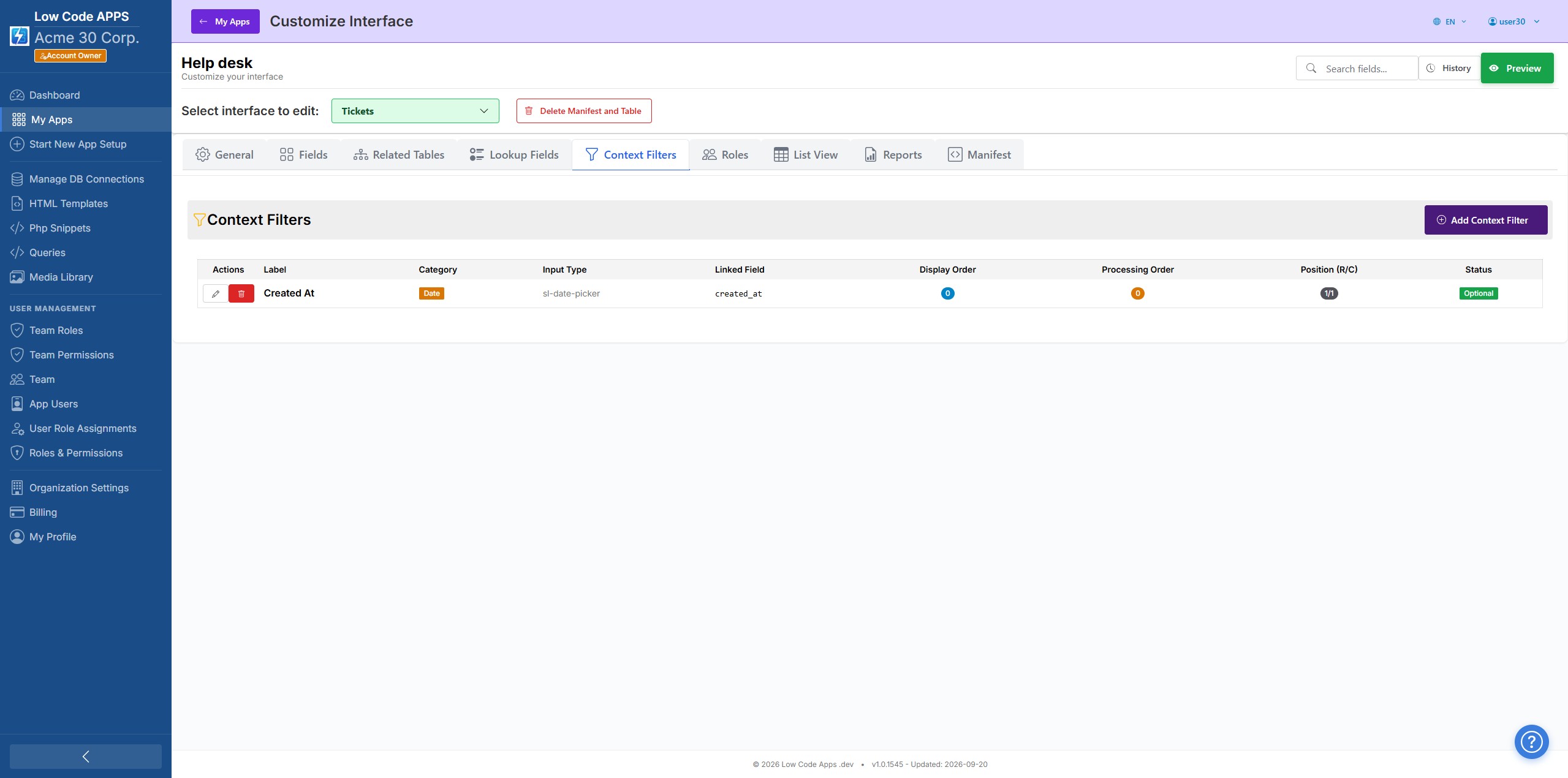
Context Filters
LowCodeApps context filter configuration — scope what each user can see

Configure contextual filters so every user sees exactly the rows relevant to them.
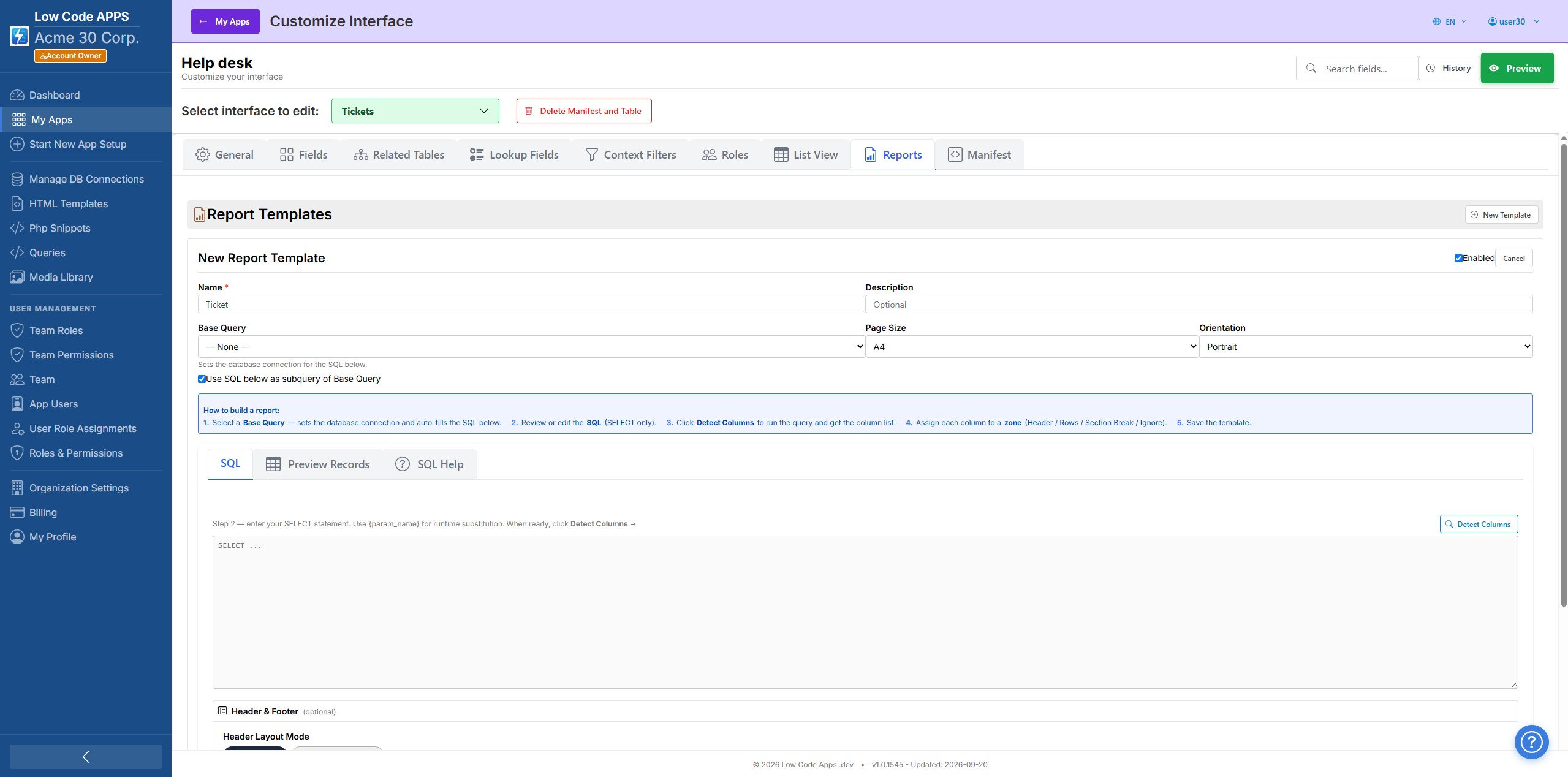
Reports
LowCodeApps report designer — build printable reports on top of your tables

Design printable reports on top of any table — headers, columns, and page layout included.
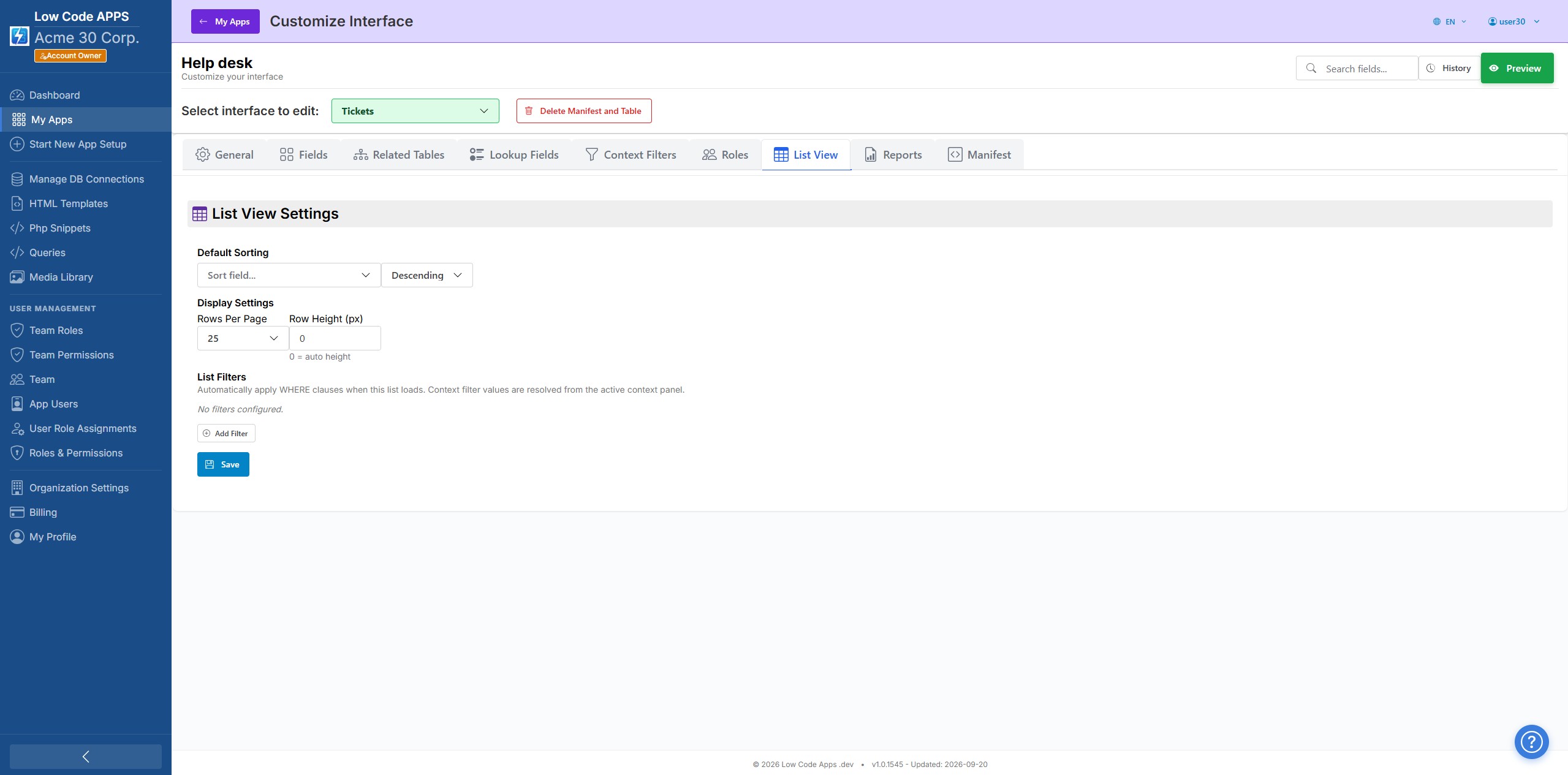
List View
LowCodeApps list view configuration — control table columns and ordering

Control which columns appear in your data tables, and in which order.
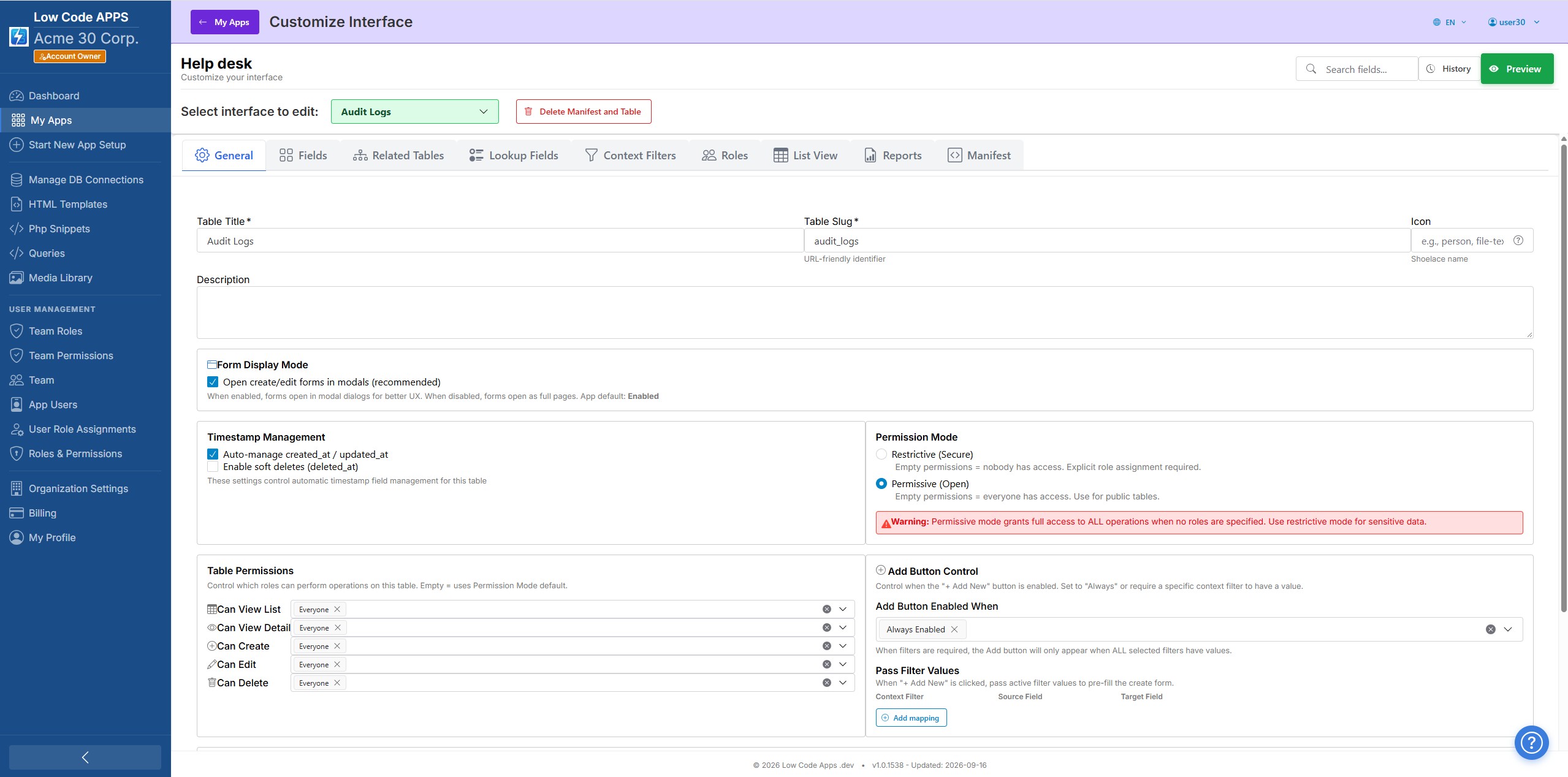
General Settings
LowCodeApps general table settings — titles, pagination and defaults

Tune table-level behaviour — display titles, pagination, and default values.

How it works

Configure, preview, publish

1
Open the Interface Editor
After creating your schema in the wizard, open the Interface Editor for any table. All your database columns are automatically listed — no manual field setup.
2
Configure each field
Choose the display type, label, placeholder, width, and visibility rules for each field. Set up dropdowns and relationships. Configure which fields appear in forms vs. list views.
3
Publish and share
Save your configuration and it is live immediately. No deployment, no build step. Invite your team or users and they will see the interface you designed — on web and Android now, with iOS pending App Store approval.

Design your interface in minutes.

Start your free trial and have a working, configurable CRUD interface running today.