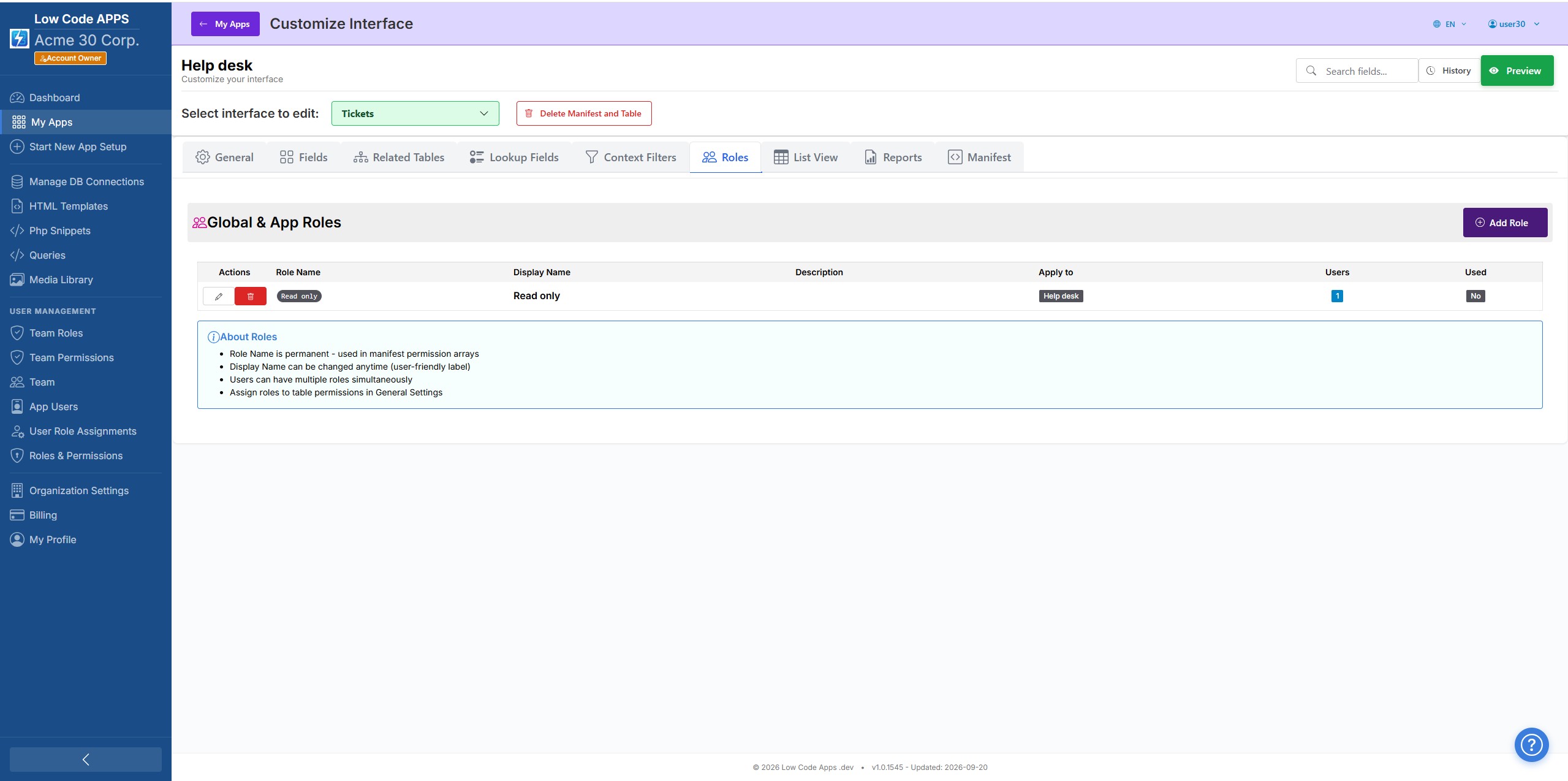
Every app you build comes with a built-in user management system. Create roles, define exactly what each role can see and do, and invite your users — all without writing authentication code.
From table-level access to field-level visibility, lowcodeapps.dev lets you configure permissions that match how your organisation actually works.
👥
App roles
Create named roles for each app — Manager, Staff, Viewer, Auditor. Each role gets exactly the access you define. Add as many roles as you need.
🗂
Table-level permissions
Control which roles can view, create, edit, and delete records in each table. One role might only read data while another has full write access.
🔍
Row-level filtering
Restrict what rows a user can see based on their profile. Sales reps only see their own accounts. Managers see records from their region. Configured without SQL.
📧
Email invitations
Invite users by email address and assign their role at invite time. They receive a branded invitation, set their password, and land directly in your app.
🏢
Multi-tenant isolation
Each client's users are completely isolated from other clients. Your users only ever see your app's data — there is no possibility of cross-tenant data leakage.
🔑
Separate team and app users
Developers who build your app and end-users who use it are separate. App users cannot modify the app definition. Builders cannot access end-user data unless explicitly permitted.
Getting users into your app
Three steps from invite to live
1
Create your roles
Open the Roles panel for your app and add the roles that map to your business — Admin, Manager, Staff, Viewer. Name them anything you like.
2
Set permissions per table
For each table in your app, choose which roles can create, read, update, and delete. Configure row-level filters if certain roles should only see a subset of records.
3
Invite users by email
Enter an email address, pick a role, and send the invitation. The new user receives a link, sets their password, and is in your app immediately on web and Android, with iOS pending App Store approval.
See it in action
Permissions, configured visually
Define what each role can see and do — without writing a line of access-control code.
Roles & Permissions
Create named roles and define exactly what each role can view and edit — down to individual tables and fields.
Your app, your users, your rules.
Start your free trial and invite your first user in under five minutes.