Build CRUD Applications Faster
Generate production-ready CRUD applications and database interfaces without writing repetitive boilerplate. Describe your schema in plain language or use the visual wizard, connect MySQL or PostgreSQL, and launch instantly.
Full CRUD Generation Suite
Complete PHP CRUD operations — generated automatically
No boilerplate controllers, no repetitive SQL queries, no manual form building. Define your schema and start managing your data immediately.
The app creation wizard
From empty database to working app
The guided wizard walks you through schema, relationships, and UI fields — every step visual, every step reversible.
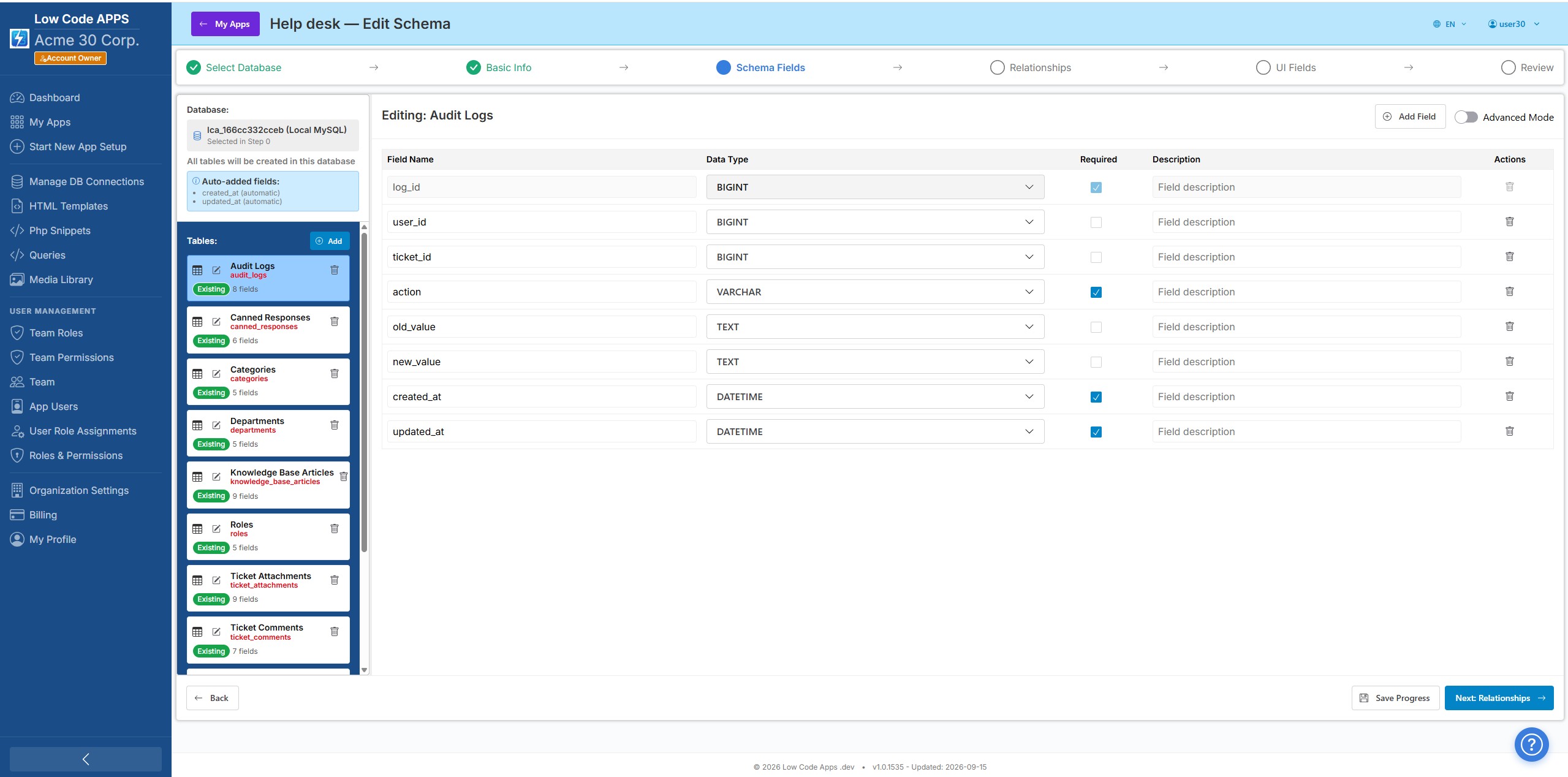
Define tables and fields with data types and constraints — no raw DDL required.
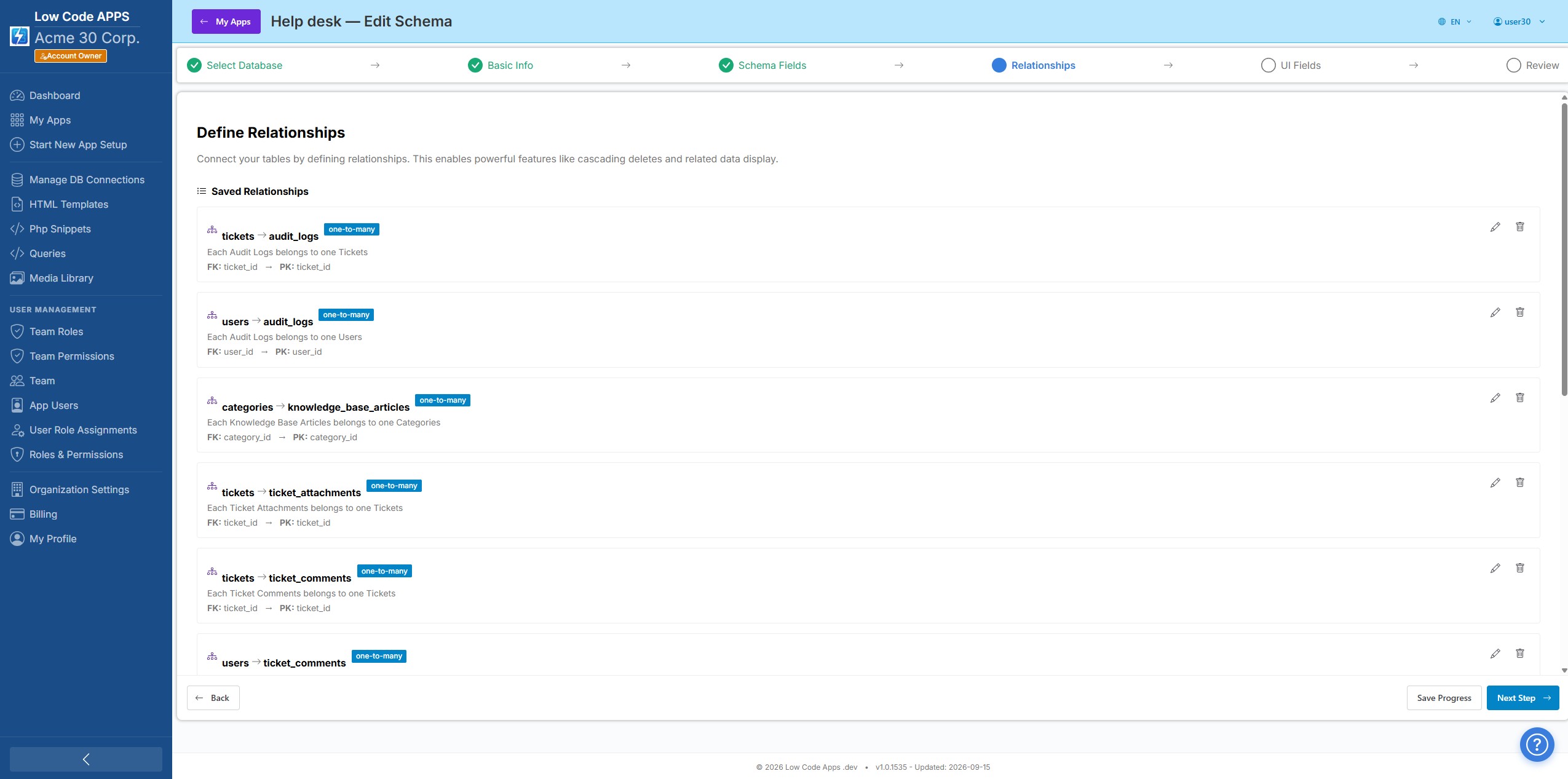
Link your tables with foreign keys and let the platform resolve joins automatically.
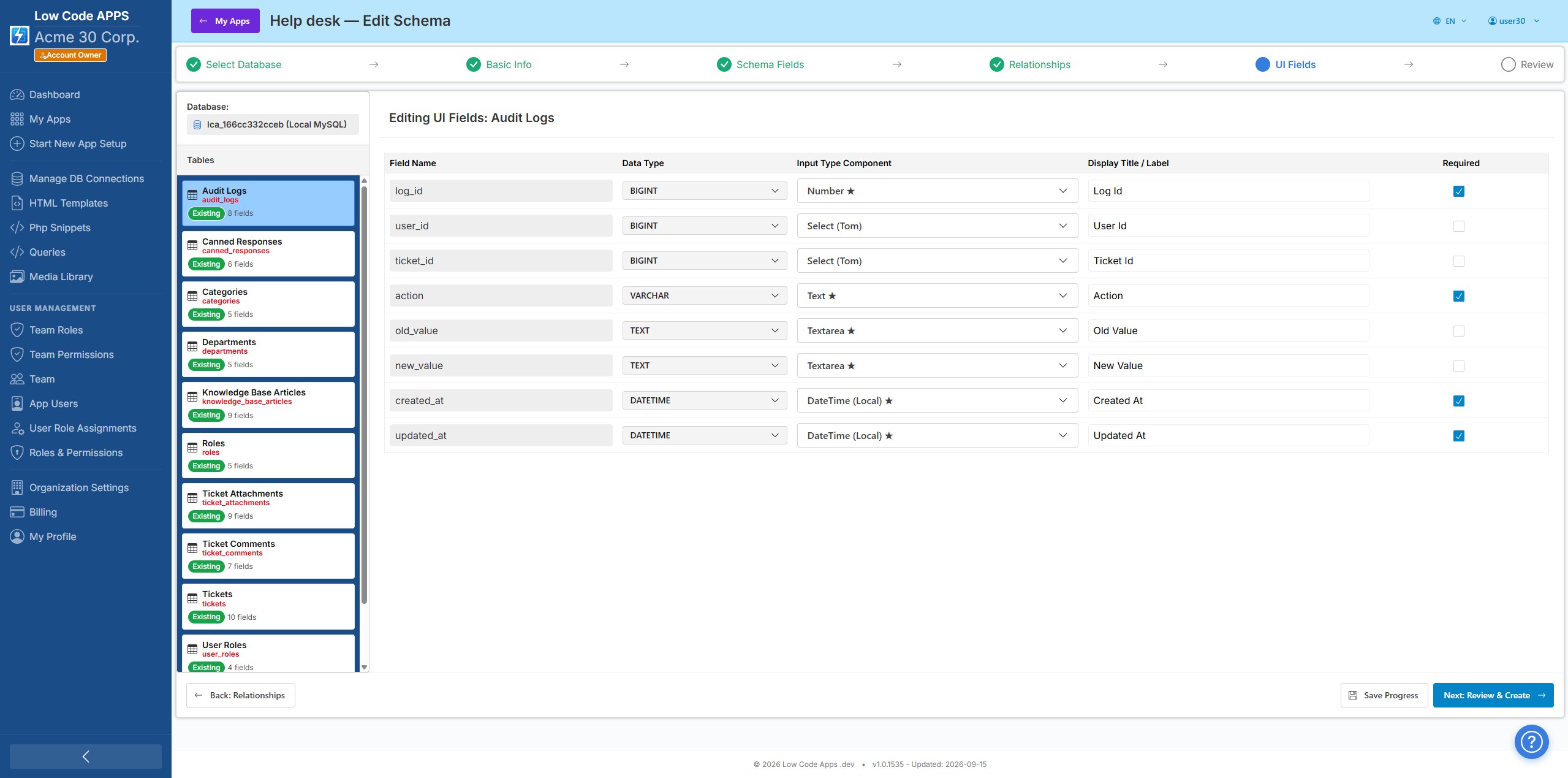
Pick which fields appear in forms and list views, and how each one is displayed.
How it works
Three steps to a working app
Our guided workflow takes you from idea to deployed app in under an hour.
Describe your app in plain language and AI generates the full database schema for you. Or use the Schema Wizard to build it manually. Either way, your database tables are created automatically.
Use the Interface Editor to adjust field labels, input types, column widths, filters, and permissions. Tailor every aspect of your app's UI without code.
Invite team members and end-users to your app. Assign roles. Your app is live on web and Android, with iOS pending App Store approval. No deployment steps needed.
Start building your app today
Free 14-day trial. No credit card. No installation.